How to Check Trademark Application Status Online in India
18 May, 2024
After filing a Trademark Registration Application in India, the Registrar of Trademarks provides an application number that can be used to track your trademark application status online. For example, you can use an application number such as 2911490 to search for the corresponding trademark record.
This unique application number allows you to access important details through the Trademark E-Register, including the current trademark status, application details, notices, correspondence, and other status updates associated with the application.
In this guide, we explain how to check trademark application status online in India, including how to use the IP India E-Register and the Trademark Status Portal.
There are two ways to check your trademark application status: through the Trademark Status Portal or the Trademark E-Register of the Registrar of Trademarks. The following sections explain both methods step by step.
Method 1: Check Trademark Status Through the Trademark Status Portal
You can check your trademark application status online by using the Trademark Status Portal. Enter your trademark application number to view the available status and application details.
To check your trademark status:
-
1 Open the Trademark Status Portal
-
2 Enter your trademark application number
-
3 Click Search
-
4 Review the current trademark application status and related details.
Click here to check status: https://www.law-certis.in/trademark-status
Step 1

Step 2: View Your Trademark Application Status
After entering your trademark application number and clicking Search, scroll down to view the available trademark application details and current status.
After entering your trademark application number and clicking Search, scroll down to view the available trademark application details and current status.

DONE! It's that Easy!
Method 2: Check Trademark Application Status through the E-Register
You can also check your trademark application status online through the Trademark E-Register of the Trade Marks Registry. The E-Register allows you to search for trade mark application and registered mark details using the relevant application number.
To check your trademark status, follow these steps:
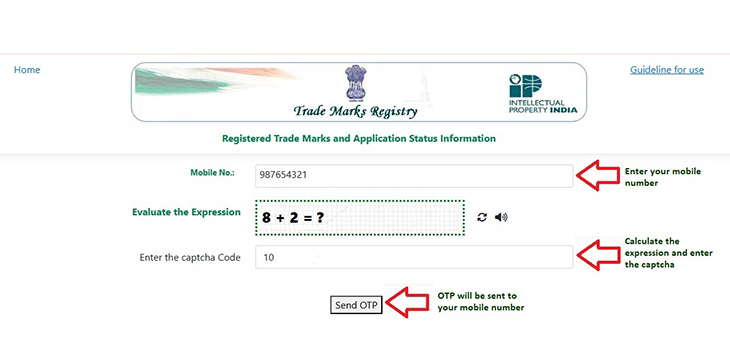
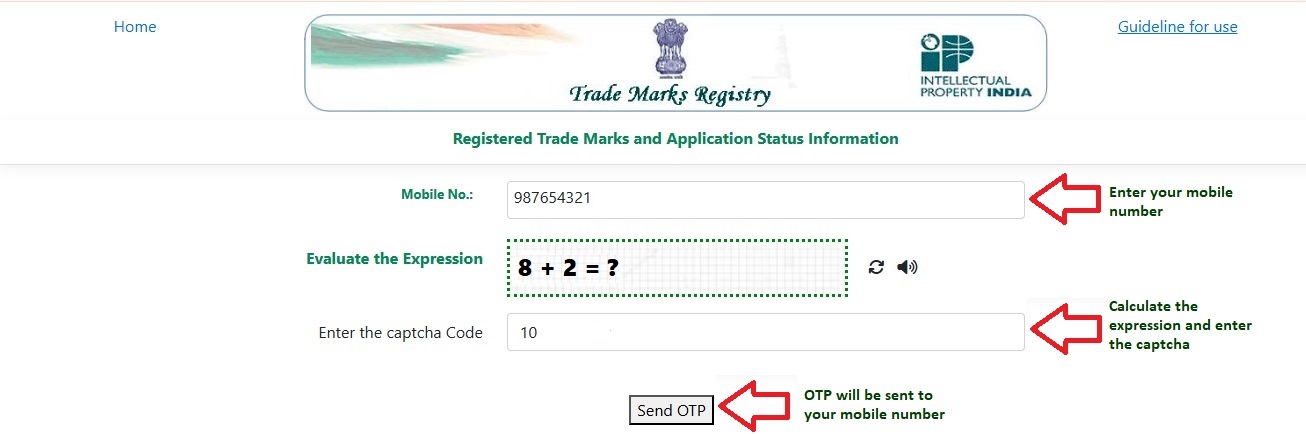
Step 1: Enter Your Mobile Number
Open the Trademark E-Register and enter your mobile number. Solve the displayed captcha and click "Send OTP".
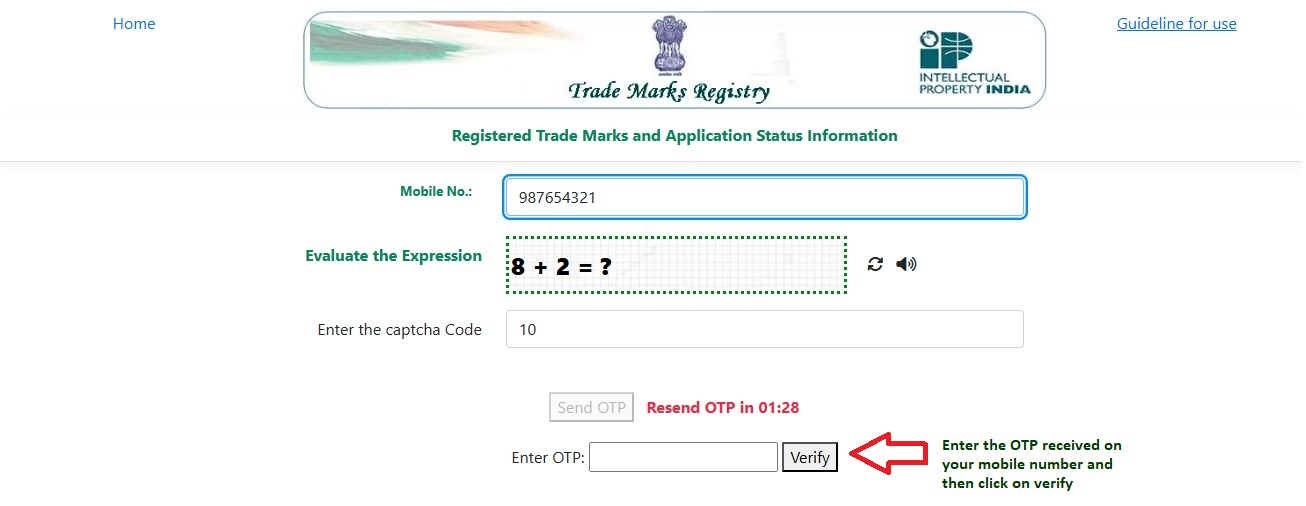
Step 2: Verify Your Mobile Number
Enter the OTP received on your mobile number and click “Verify” to access the E-Register services.
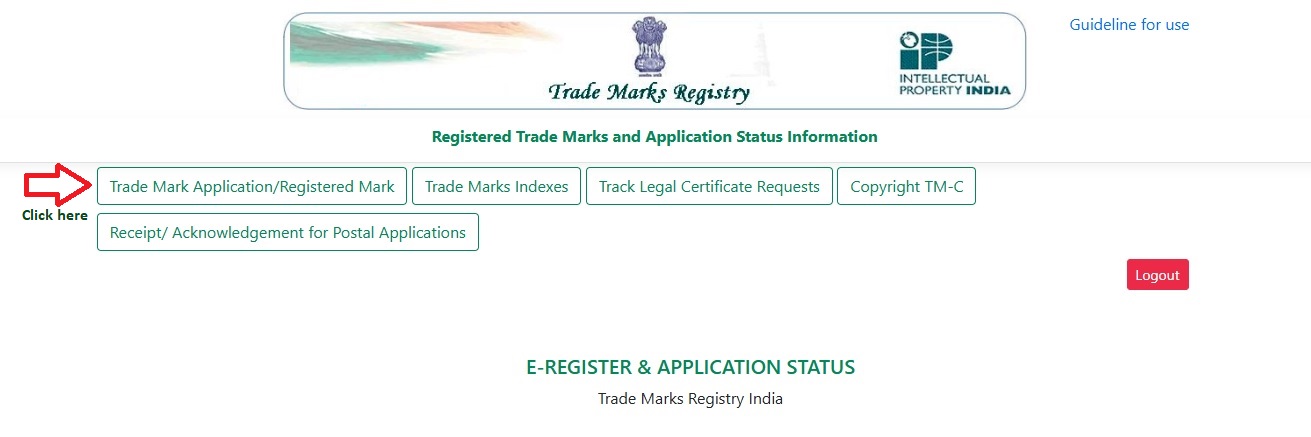
Step 3: Select "Trade Mark Application/Registered Mark"
After verification, select "Trade Mark Application/Registered Mark" from the available options.
Step 4: Select the Search Option
Select "National/IRDI Number" if you are checking an Indian trademark application.
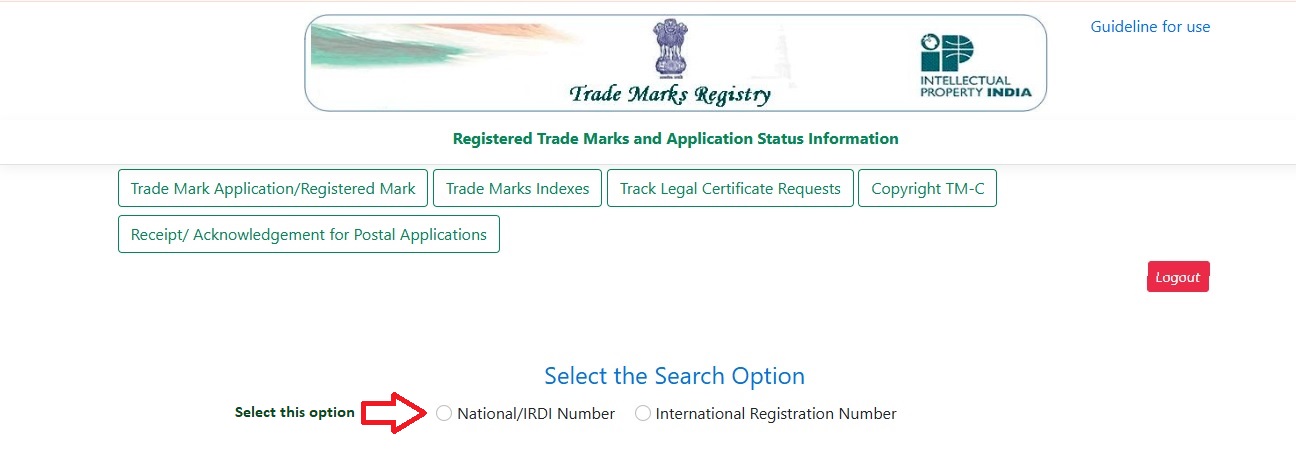
Step 5: Enter Your Trademark Application Number
Enter your Trade Mark/Application Number in the search field and complete the displayed captcha.
Click "View" to search for your trademark application.
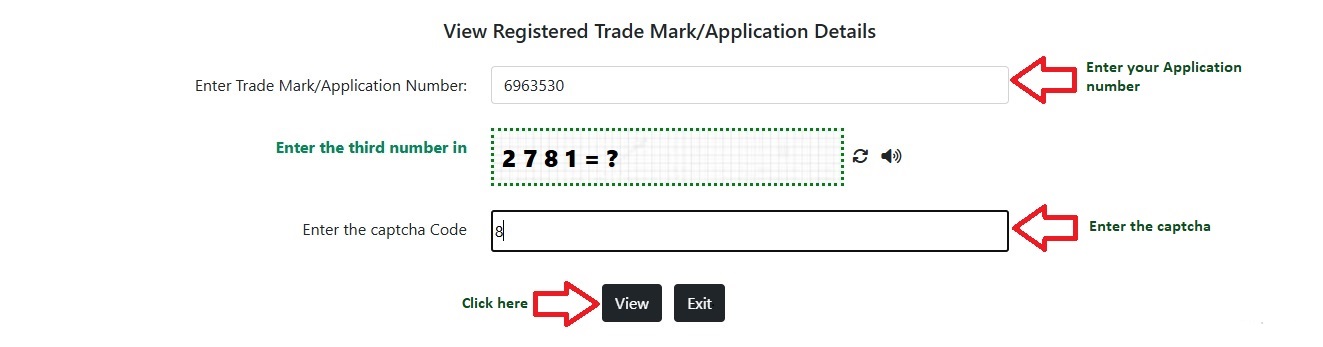
Step 6: Check Your Trademark Application Status
The search results will display the available information about your trademark application, including:
- Trade Mark Number
- Date of Application
- Class
- Filing Mode
- Trade Mark
- Trade Mark Type
- User Details
- Publication Details
- Proprietor Name
- Current Status
For example, the status may be displayed as "Formalities Chk Pass."
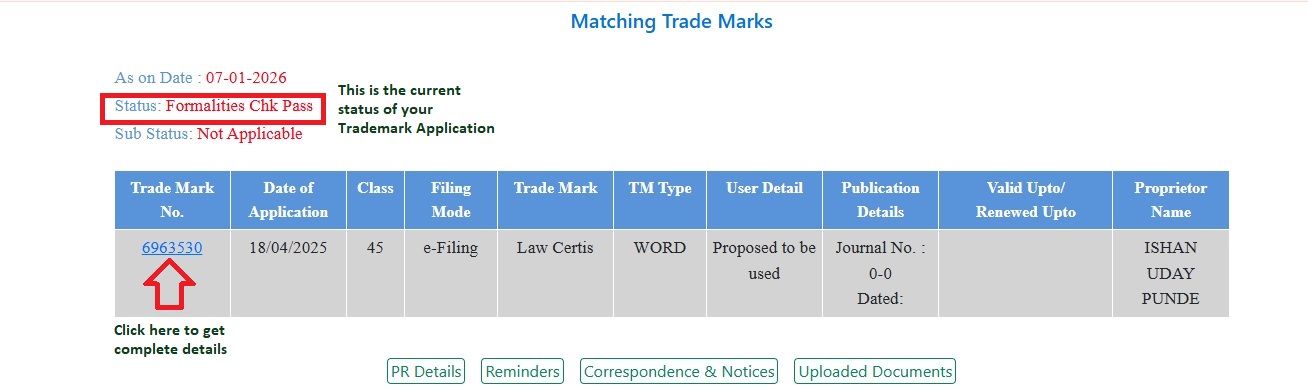
Step 7: View Complete Trademark Application Details
Click on the Trade Mark/Application Number to view more details about the application. Depending on the available record, you may also find options to view PR Details, Reminders, Correspondence & Notices, and Uploaded Documents.
This method can help you check your trademark status, application details, and related records online through the Trademark E-Register.
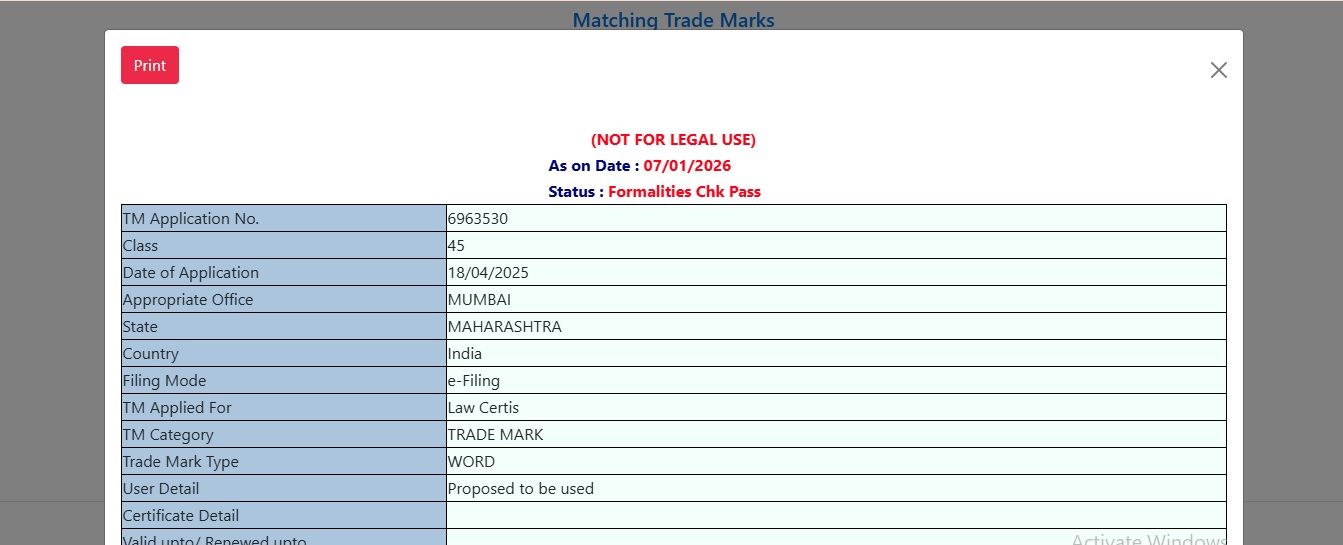
What to Do If Your Trademark Application Status Requires Action
If your trademark application status is not “Registered,” review the status and any available correspondence, notices, or documents to understand whether further action is required. If you need professional assistance with your application, you can contact us for guidance on the appropriate next steps.
For assistance with Trademark Registration, visit the Trademark Registration service page: Trademark Registration
Frequently Asked Questions About Trademark Application Status
You can check your trademark application status online using your application number through the Trade Marks Registry's online status service.
Enter your trademark application number in the search field, complete the required verification, and submit it to view the current status.
The IP India E-Register is an online Trade Marks Registry service that provides information about trademark applications and registered trademarks.
Select Trade Mark Application/Registered Mark, choose the relevant search option, enter your application number, complete the captcha, and click View.
TMRSearch is an online Trade Marks Registry service used to access trademark application and registered trademark information.
"Formalities Chk Pass" means that the application has passed the formalities check stage shown in the Trade Marks Registry record.
Review the application status, correspondence, notices, and available documents. If further action is required, consider seeking professional trademark assistance to understand the appropriate next steps.